


If there’s one thing Hollywood taught me, it’s that surprises are great for audiences, but not so much for business leaders.
When you’re running a company, fewer plot twists mean better decisions, faster alignment, and fewer late-stage corrections.
And that’s precisely why Microsoft Dynamics 365 Business Central Analytics has become so critical for modern organizations.
Suddenly, you’re not guessing, reacting, or hoping your data is “close enough.”
Instead, you’re seeing what’s happening in real time (and in many cases, what’s about to happen) with the kind of clarity I wish we’d had back when I was juggling studio systems that behaved like temperamental actors.
Life Before Business Central Analytics: A Hollywood Story About Data
In 1985, I was Director of MIS for Norman Lear’s companies, Tandem Productions, and Embassy Television. (Norman Lear brought us iconic shows like All in the Family, Who’s the Boss, Different Strokes, and One Day at a Time, to mention a few.)
Norman Lear had a gift for turning real-world complexity into stories that felt relatable and human. His shows explored difficult situations with humor and clarity.
Running the business behind those shows, however, required a different kind of clarity, especially when it came to data.
At the time, our financials lived in a database tied to Embassy Home Entertainment.
Life was relatively orderly. Reports were predictable. Numbers lined up. Decisions, while never simple, were at least grounded in shared data.
Then Norman orchestrated the sale of his companies to Coca-Cola Corporation, which owned Columbia Pictures.
Where the data lived changed.
Overnight, reporting became a bigger challenge.
During the sale transaction, we had created three distinct entities which had their financial and operational data in the same ERP database:
- Home Entertainment
- Media airing on TV stations and through satellite
- A publicly traded studio with its own compliance and reporting requirements
What followed was confusion, reconciliation madness, and a level of manual effort that today feels almost medieval.
We extracted data with what I now jokingly call the hammer-and-chisel method; manual queries, spreadsheets layered on spreadsheets, and people arguing over whose numbers were “right.”
The work wasn’t just inefficient—it actively slowed leadership decisions at the exact moment clarity mattered most.
Looking back, I often think how different that experience would have been if we’d had today’s analytics, AI, and automation tools.
That moment didn’t just reveal a single issue. It exposed a broader challenge leaders face when decisions are made without reliable insight, forecasting, or visibility.
That lesson still shapes every conversation I have with executives today, especially as their data becomes more complex, more interconnected, and more time sensitive.
Situations like this happen more often than you might think… they’re the ones that make it obvious how much organizations depend on accessible, accurate data.
And that’s where modern analytics changes the entire story.
How does Business Central use AI and analytics to help me make better business decisions?
At its core, Business Central transforms raw transactions into real-time insight that leaders can actually use. Instead of waiting for reports to be pulled, reconciled, and explained after the fact, decision-makers gain immediate visibility into what’s happening across the organization.
Microsoft Dynamics 365 Business Central provides:
- Real-time visibility across finance, sales, inventory, and operations
- AI-driven insights that detect trends, anomalies, and meaningful changes automatically
- Built-in Copilot capabilities that summarize performance and explain what changed and why
- Role-based dashboards that surface the most relevant metrics for each decision-maker
According to Gartner, organizations that effectively use analytics move from reactive decision-making to proactive, insight-driven leadership, improving outcomes across strategic, operational, and tactical levels.
Gartner also predicts that by 2026, 65% of B2B organizations will shift from intuition-based to data-driven decision-making, raising the bar for analytics that leaders can actually use, not just report on.
What makes this approach different from traditional ERP reporting is the role of AI and intelligence:
- Built-in AI and Copilot identify trends, anomalies, and meaningful changes automatically
- Narrative insights explain not just what happened, but why
- Role-based dashboards surface the information that matters most to each user
- Predictive views help leaders anticipate outcomes instead of reacting after the fact
This is the difference between reading yesterday’s script and seeing tomorrow’s storyboard.
This shift is critical for leadership teams. When insight arrives too late, decisions become reactive by default. Teams spend more time explaining what already happened than preparing for what’s coming next.
Business Central Analytics helps close that gap, giving leaders confidence that they’re acting on current, accurate information.
This Forbes article describes how AI is reshaping nearly every part of the analytics workflow, helping organizations act faster and make more informed decisions across the business.
What’s the difference between built-in dashboards/analytics in Business Central and using Microsoft Power BI or the Power Platform together with it?
Once leaders see the value of real-time insight, the next natural question is “How far can those insights go?”
Business Central includes strong built-in dashboards and reporting tools that infuse fast, role-based visibility into day-to-day operations. These dashboards are designed to answer common questions quickly and keep teams aligned.
For many teams, built-in dashboards are ideal for operational awareness, things like monitoring cash position, tracking open orders, or reviewing inventory levels. They surface the information people need to do their jobs efficiently, right inside the system they already use.
But when you layer in Power BI and the Power Platform, the picture becomes far more powerful.
Here’s how they work together:
When organizations layer Power BI on top of Business Central, analytics move from helpful to transformative. Power BI enables richer visualizations, deeper analysis, and cross-system reporting that supports both operational and strategic decision-making.
This is where analytics expands beyond individual roles. Power BI empowers finance leaders, operations managers, and executives to view the same data through different lenses, combining ERP data with information from across the business to answer more complex questions and spot trends earlier.
The Power Platform (specifically Power Automate) extends this intelligence even further. Power Automate connects analytics to workflows, triggering alerts, approvals, or notifications when thresholds are reached.
Microsoft SharePoint provides secure document storage and governance, ensuring reporting and collaboration stay organized and consistent.
In this article, Microsoft highlights how AI-powered analytics are helping organizations innovate faster and operate with greater confidence across departments.
To recap:
Built-In Business Central Analytics
- Fast, embedded insights
- Contextual dashboards tied directly to transactions
- Ideal for day-to-day operational decisions
Power BI
- Advanced data modeling and visualization
- Cross-system analysis (ERP + CRM + external data)
- Executive-level dashboards that reveal trends and patterns
Power Automate
- Automated alerts when metrics fall outside thresholds
- Workflow triggers tied to insights (approvals, notifications, actions)
- Less manual follow-up, more proactive response
SharePoint
- Secure, governed document storage
- Analytics tied directly to supporting documentation
- One trusted repository connected to reporting
Together, these tools eliminate the reporting silos I battled decades ago. Instead of reconciling numbers, leaders align around them.
Can non-technical users really use the analytics and AI features in Business Central, or do I need a data scientist or IT specialist?
This question is one of the most common concerns I hear, and one of the easiest to address.
Modern analytics in Business Central are designed for humans, not data scientists.
Users can:
- Ask questions using natural language
- Receive AI-generated summaries that highlight key takeaways
- Explore dashboards visually without writing queries
- Use Copilot to surface insights without technical training
In the 1980s, reporting required specialized skills and long turnaround times. Today, insight meets people where they work, in language they understand.
That accessibility is what turns analytics from an IT project into a leadership advantage.
What are the typical use-cases for AI in Business Central? What kinds of decisions or forecasting can it help me with?
AI in Business Central isn’t theoretical. It’s practical, grounded, and deeply useful.
Some of the most valuable use-cases include:
Cash Flow Forecasting
AI helps predict shortfalls before they occur, allowing leaders to adjust spending, collections, or financing proactively.
Inventory Demand Prediction
Instead of overstocking or running out, organizations use predictive insights to balance supply with actual demand.
Anomaly Detection
The system flags unusual activity, such as pricing errors, margin erosion, or unexpected cost spikes, before they escalate.
Sales and Revenue Forecasting
Trends guide staffing, budgeting, and growth planning with confidence instead of guesswork.
Workflow Automation
Power Automate removes repetitive tasks, freeing people to focus on higher-value work.
Technology stops being a reporting tool and starts becoming a strategic partner.
The result?
Instead of scrambling to explain what happened last month, teams can focus on planning what happens next.
How do I integrate Business Central analytics with existing systems and ensure the data is trusted, secure, and real-time?
As analytics become more central to decision-making, integration and data trust matter more than ever.
- Business Central integrates seamlessly with Microsoft 365 tools like Excel, Outlook, and Teams, so everyone is working from the same source of truth.
- SharePoint supports secure document management and governance, ensuring consistent, accessible reporting across the organization.
- Power Automate connects analytics to workflows, approvals, and alerts, reducing manual handoffs and delays.
And because Business Central runs in the cloud, data updates are in real time and benefit from built-in security, compliance, and access controls.
When systems lack integration, it’s often up to leaders to sort through multiple versions of the truth… and that’s where confidence breaks down.
Trusted, real-time data enables leadership teams to move faster, align more easily, and make decisions without second-guessing the numbers.
Even the best analytics can’t save a production if everyone’s reading from a different script.
Disconnected systems, inconsistent reporting, and manual workarounds create the kind of off-screen chaos I’ve watched derail more than one ERP initiative.
Those issues exit stage right quickly when you have a single, trusted version of the truth, something I would have given anything for during those merger years.
If you missed it, catch up on the first blog in this series, Cloud ERP Benefits for Modern Accounting & Ops, to find out how Cloud ERP enables data updates in real time with built-in security, compliance, and access controls.
Why Business Central Analytics is becoming essential
Every business collects data. Very few turn it into timely, trusted decisions.
Business Central Analytics shifts organizations from:
- Reactive to proactive
- Fragmented to unified
- Guessing to knowing
Leaders gain clarity. Teams gain confidence. Decisions gain momentum.
But more importantly, analytics becomes a leadership capability, not just a reporting function.
When organizations can see clearly across operations, they’re better positioned to adapt, respond, and grow, even when conditions change unexpectedly.
Conclusion: Seeing the whole picture
When leaders can clearly see what’s happening across the business, decision-making stops feeling like guesswork.
The picture sharpens. The next steps become clearer. And the organization moves forward with purpose.
That’s what Business Central Analytics delivers. Fewer surprises. Better decisions. And leadership confidence rooted in real-time, trusted insight.
When I think back to those years working for Norman Lear, supporting companies that produced some of the most influential television of a generation, I don’t remember a lack of data. I remember a lack of visibility.
As the business grew more complex, our tools didn’t keep up. We relied on effort rather than automation, spreadsheets rather than intelligence, and manual reconciliation rather than shared understanding. The hammer-and-chisel method worked until it didn’t.
If we had today’s analytics, AI, and automation tools, leadership conversations would have been faster, calmer, and far more proactive. Decisions would have been driven by insight instead of debate.
That’s the real promise of Business Central Analytics. It’s not about reporting. It’s about giving leaders the clarity they need when complexity increases, so the business can keep moving forward without unnecessary friction.
Up next: How to plan a Business Central migration without costly surprises.
Ready to see it in action?
Reach out for demos of Business Central Analytics, Power BI, Copilot, SharePoint, or Power Automate.
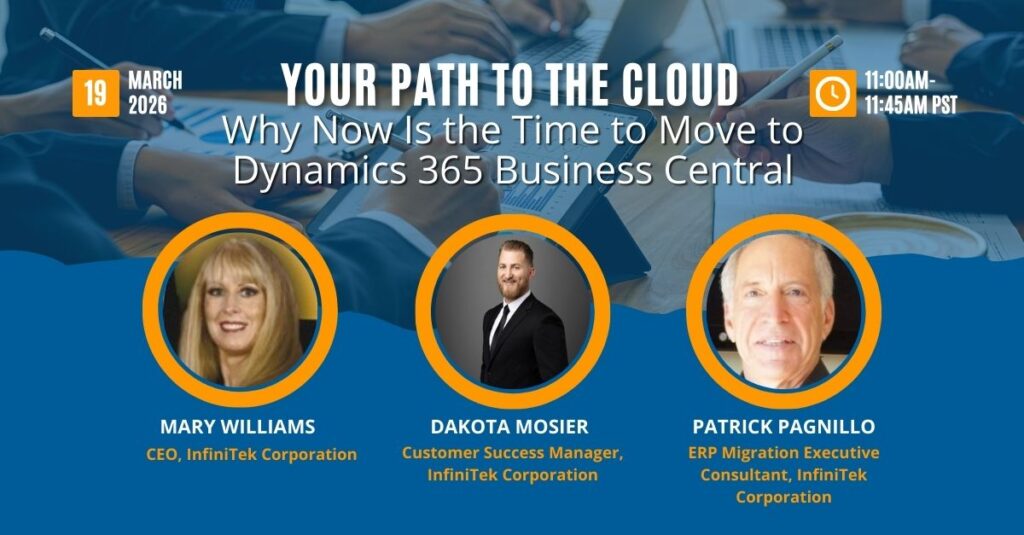
And if you want a deeper look at what Business Central cloud ERP can do for your team, join my upcoming webinar, Your Path to the Cloud, for practical guidance on migrating from GP, NAV, or QuickBooks to Business Central without plot twists, delays, or surprise costs.
About the Author

Mary Williams is a seasoned ERP strategist and CEO of InfiniTek Corporation, where she has spent over 26 years helping organizations modernize and transform their operations through smarter systems and stronger processes. Her unconventional path, beginning in music and live radio and later moving into Hollywood IT leadership before becoming one of the first Navision (now Business Central) partners in the United States, gives her a rare blend of creativity, technical depth, and real-world business insight.
With more than three decades of experience across manufacturing, distribution, logistics, financial services, and CRM and ERP innovation, Mary brings a perspective shaped by both hands-on development and executive-level guidance. She shares the stories, lessons, and practical strategies she’s learned along the way, offering leaders a grounded and human-centered view of what it takes to make technology work for people, processes, and long-term growth.
Connect with Mary on LinkedIn to continue the conversation.