


The payroll run completed overnight.
No errors. No alerts. No warnings.
Everything looked fine…until employees opened their pay stubs.
Shockingly, every single person had been paid the exact same amount as the CEO.
That was the moment the system stopped being considered successful.
I have seen variations of this story throughout my career, and it still illustrates one of the biggest risks in any Business Central Migration. A system can cutover on time, appear stable, and still fail the first time it is asked to do real work.
This was not a technology failure. The software did exactly what it was configured to do.
What failed was the assumption that testing was complete because nothing broke during system deployment.
Dynamics 365 Business Central is a proven platform.
But migrations succeed or fail long before the switch is flipped. They succeed or fail based on preparation, discipline, and whether real business scenarios were tested before they mattered.
That lesson becomes much clearer when you understand where this payroll story came from.
The Payroll Run That Exposed Every Assumption
Earlier in my career, I served as Director of MIS for Norman Lear’s companies, Tandem Productions, Inc., and Embassy Pictures Corporation, which were later acquired by The Coca-Cola Company and merged with Columbia Pictures.
Part of that role involved participating in a consortium of IT leaders from major Hollywood studios, including MGM, Paramount, and 20th Century Fox. We met regularly to share experiences, lessons learned, and cautionary tales.
One story from 20th Century Fox has stayed with me for decades.
They had just completed an upgrade to their payroll system. Testing appeared complete. The implementation went live as planned.
Then the first payroll ran. And the IT folks sighed with relief.
Until it was discovered that every employee received the same paycheck amount as the CEO of 20th Century Fox!
The cause was a simple programming error: an accumulator had not been cleared. From a technical perspective, it was a small mistake. From a business perspective, it was chaos.
You can imagine how delighted employees were, at least initially. Undoing the payments, correcting records, managing compliance, and restoring trust took enormous effort.
And the most frustrating part was this: the issue almost certainly would have been caught if payroll had been tested as a full business scenario, not just a technical process.
That moment reinforced a lesson I have carried through on every ERP project since. Testing is not about confirming that the system runs. It is about proving that the business can run on it.
I have seen the same pattern repeat much more recently. At InfiniTek, we worked with a customer migrating from Dynamics NAV to Business Central who underestimated the importance of user and scenario testing. After go-live, they realized that the critical functionality they relied on every day was missing or behaved differently than expected.
The system was technically live. The business was not ready.
We helped them recover. But the disruption was avoidable. In both cases, the root cause was the same. The scenarios that mattered most were not tested deeply enough.
The lesson here is simple, even if it’s not always easy to follow:
TEST, TEST, TEST.
And then do more testing.
The payroll story is extreme, but the failure behind it is common. The system worked. The business scenario was never fully tested. That gap is where most ERP migrations run into trouble.
The technology passed validation. The business never did.
Which leads to the question I hear most often.
What are the biggest risks and pitfalls when migrating from Dynamics GP, Dynamics NAV, or QuickBooks to Dynamics 365 Business Central?
The biggest risks in a Business Central migration are rarely technical. They are operational, and they almost always trace back to insufficient testing.
On the surface, many migrations look successful. The system goes live on schedule. Data is present and looks accurate. Users can log in. Dashboards load. Leadership feels confident.
But the first time the system runs a process that touches everyone, payroll, invoicing, compliance reporting, or month-end or year-end close, assumptions are exposed.
In the Hollywood example, technical validation passed. Screens worked. Calculations ran. But the real payroll scenario was never tested end to end.
That same pattern appears across migrations from GP, NAV, and QuickBooks. Scenario testing focuses on screens instead of processes. Legacy data issues are carried forward. Teams assume fixes can happen later. Timelines leave no room for validation. Change impact on daily users is underestimated.
When scenario testing is shallow, issues do not appear immediately. They wait until failure is most visible and most expensive.
Once organizations recognize that the biggest risks are not technical, the next realization often follows quickly.
Common risks that surface when testing is rushed
Rushed testing rarely feels reckless in the moment. It feels efficient.
But when testing is rushed, ERP migration risks surface quietly and compound quickly after go-live.
Across Business Central migration projects, the same issues appear again and again:
- Scenario testing that’s too shallow (screens load, but processes fail)
- Data inconsistencies carried forward from the legacy system
- “We’ll fix it after go-live” decisions that become permanent workarounds
- Timelines with no room for iteration or validation
- Underestimating the impact of change on day-to-day users
None of these issues feel catastrophic during implementation. They only become obvious when the system is under pressure.
I wrote earlier in this series about why organizations move to the cloud and how analytics and visibility help them see issues early. Here, I want to focus on the part that often gets overlooked: How planning and testing turn those benefits into reality.
The issues aren’t isolated incidents. Industry research consistently shows that organizations that approach ERP data migration without disciplined planning, risk assessment, and validation are far more likely to experience avoidable disruptions after go-live.
In fact, Forbes found that the difference between a smooth transition and a painful one often comes down to how seriously testing and preparation are taken during the migration process.
After hearing stories like the payroll incident, leadership conversations usually shift.
How long does a migration typically take, and what are the key milestones in a move to Business Central?
Most Business Central migrations take several months. The exact timeline depends on scope, data condition, integrations, and how much time the organization can realistically dedicate to testing and training.
The teams that struggle are usually the ones who pick a date first and then try to squeeze reality into it.
A successful Business Central migration follows a roadmap, not just a calendar.
Key milestones include:
- Assessment and discovery: inventory customizations, integrations, reporting needs, and fragile workarounds.
- Data cleanup and mapping: decide what to move, what to archive, and what to fix before it becomes “new-system bad data.”
- Configuration and validation: configure processes and validate edge cases, approvals, and exceptions.
- Testing and UAT (User Acceptance Testing): run end-to-end scenarios (payroll, invoice-to-cash, procure-to-pay, month-end close, year-end close, financial reporting).
- Training and readiness: role-based training and time to practice before it “counts.”
- Go-live and stabilization: support coverage, issue triage, and quick iteration.
Problems arise when these phases are compressed or skipped. In the Hollywood payroll example, the system went live on time. What failed was not the schedule. It was the discipline around testing the scenarios that mattered most.
A realistic timeline is not about speed. It is about sequencing work so validation happens before issues affect the business.
Even with a realistic timeline, migrations struggle when readiness is unclear.
How do I know if my current GP, NAV, or QuickBooks environment is ready for Business Central, and what preparatory steps should I take?
Readiness is about clarity, not perfection.
Before migrating, organizations need to understand what they are bringing forward and why. This matters even more when moving ERP to the cloud for the first time or transitioning away from heavily customized systems.
Readiness is also where I see the biggest differences between platforms:
- A team coming from GP may have years of reports, add-ons, and approval habits built around the way GP works.
- A team coming from NAV may have customizations that made perfect sense at the time, but have quietly become technical debt.
- A team coming from QuickBooks often has a different challenge: growth outpaced the tool, and the organization is now asking QuickBooks to behave like an ERP.
Focus on four preparatory steps.
They apply whether you’re migrating ERP to the cloud for the first time or you’ve migrated other systems and want this one to go better than the last one:
- Document customization and workarounds: what’s truly required, what’s optional, and what can be simplified. For NAV teams, this is where you decide what belongs in the future and what was a workaround for the past.
- Clean up data you don’t trust: duplicates, inactive records, incorrect setups, and legacy “patches.” This is the backbone of any cloud ERP migration.
- Map integrations and dependencies: shipping, tax, payroll, EDI, CRM, reporting—anything that can break silently. This is also where many QuickBooks to Business Central migration projects surprise people: the “simple” stack often has more connected apps than anyone realized.
- Define testing scenarios now: owners, success criteria, and time to fix what testing reveals.
If this is a NAV to Business Central upgrade, the project can also be an opportunity to reduce customization debt and simplify what no longer serves the business, without reinventing everything at once.
And if you’re coming from NAV and saying, “We’ll just migrate NAV to Business Central and keep everything the same,” I’d encourage you to pause and ask: Which parts are actually helping, and which parts are just familiar?
The same applies to a QuickBooks migration to Business Central: It’s often as much about defining controls and visibility as it is about moving data. Business Central can support that growth, but only if you take the time to define what “good” looks like before you configure it.
So, what does preparation typically include?
- Cleaning up data that no longer serves the business
- Identifying customizations and workarounds built into NAV or QuickBooks
- Aligning stakeholders on how processes should work in the new system
In both the Hollywood payroll story and the InfiniTek engagement, assumptions went unchallenged until after go-live. By then, the cost of fixing them was much higher.
Strong preparation shortens the learning curve and helps organizations realize value faster once Business Central is live.
At some point, every migration conversation turns to cost.
What will the cost be and how do I compare staying on my current system vs. moving to Business Central?
Cost discussions often focus on upfront migration expenses. A better comparison looks at the broader picture, particularly for organizations facing Dynamics GP end of life or maintaining aging NAV environments.
That comparison should include:
- Ongoing costs of supporting legacy systems
- Operational inefficiencies and manual workarounds
- The cost of rework caused by inadequate planning and testing
- The long-term benefits of legacy ERP modernization strategies
In the payroll story, the cost was not the programming fix. It was the disruption, the rework, and the loss of confidence that followed.
When leaders evaluate these tradeoffs, the real goal is usually the same. Reduce complexity over time so the organization can adapt, scale, and avoid compounding technical debt.
Even when the numbers make sense, migrations can still struggle.
How do we manage change across the organization when we move from an older system to Business Central?
Even a technically solid Business Central migration can struggle if people are not prepared, especially when Business Central changes approvals, responsibilities, or daily routines.
That’s also why, if you’re looking for an alternative for growing businesses, you need to plan adoption, not just configuration.
Three practices make the biggest difference. I’ve learned (sometimes the hard way) that change management is less about motivational speeches and more about removing friction:
- Role-based training: teach users what they do every day, not what the system can do in theory.
- Practice before deployment: users need time to run scenarios without deadline pressure.
- Fast feedback loops: respond quickly post go-live so workarounds don’t become permanent. In the first few weeks, small issues become “the system doesn’t work” stories if they linger.
If you do nothing else, protect time for testing and user practice. The 20th Century Fox story is funny in hindsight, but only because it wasn’t your payroll run.
Planning is what makes a successful Business Central migration
This completes my three-part look at cloud ERP, and why organizations move, what they gain, and how to migrate successfully without unnecessary disruption.
A Business Central Migration doesn’t succeed by accident. It succeeds because organizations take planning and testing seriously, whether they’re upgrading from NAV, moving off QuickBooks, or modernizing a legacy ERP system.
The technology is ready. The question is whether the preparation is.
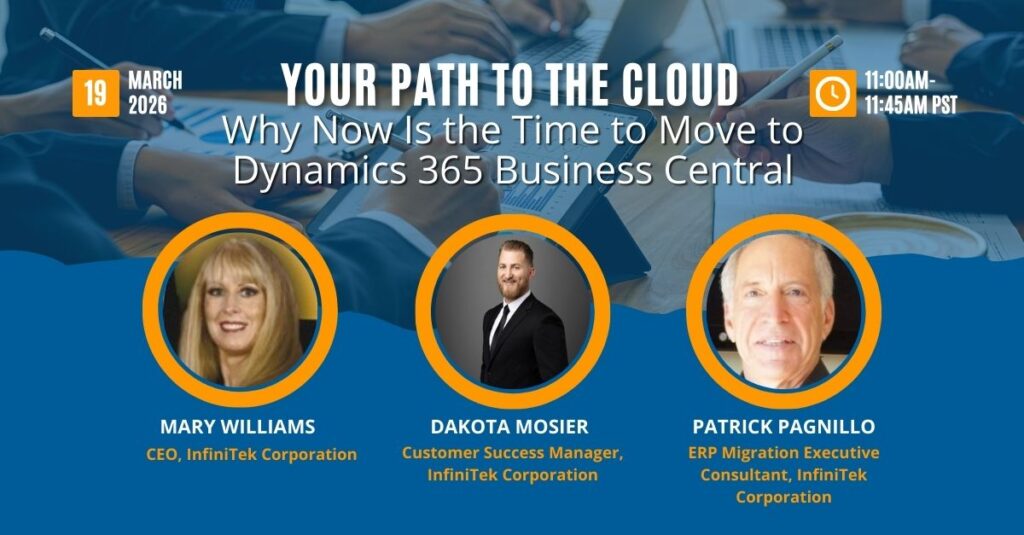
For a deeper look at what Business Central cloud ERP can do for your team, join my upcoming webinar, Your Path to the Cloud, for practical guidance on migrating from GP, NAV, or QuickBooks to Business Central without plot twists, delays, or surprise costs.
About the Author

Mary Williams is a seasoned ERP strategist and CEO of InfiniTek Corporation, where she has spent over 26 years helping organizations modernize and transform their operations through smarter systems and stronger processes. Her unconventional path, beginning in music and live radio and later moving into Hollywood IT leadership before becoming one of the first Navision (now Business Central) partners in the United States, gives her a rare blend of creativity, technical depth, and real-world business insight.
With more than three decades of experience across manufacturing, distribution, logistics, financial services, and CRM and ERP innovation, Mary brings a perspective shaped by both hands-on development and executive-level guidance. She shares the stories, lessons, and practical strategies she’s learned along the way, offering leaders a grounded and human-centered view of what it takes to make technology work for people, processes, and long-term growth.
Connect with Mary on LinkedIn to continue the conversation.