


Behind most conversations about modernization is one core truth:
Cloud ERP Benefits have shifted from nice-to-have to non-negotiable for running a stable, secure, efficient business.
Long before I founded InfiniTek, I was deep inside the Hollywood entertainment industry, wrangling the kind of technical chaos that does not make the credits.
We tracked everything from film assets to production schedules using custom systems held together by creativity, caffeine, and sheer willpower.
If a tool glitched in the middle of a shoot day, it was not simply an inconvenience. It was a potential catastrophe.
So today, when people ask me about Cloud ERP Benefits, I smile.
I have lived through the era where systems meant duct tape, crossed fingers, and the hope that nothing important crashed before lunch.
Many businesses still running aging on-prem software are living this same plotline.
Those years taught me something that has never changed. Operations only run smoothly when technology is not behaving like a temperamental actor who refuses to come out of their trailer.
And while systems have evolved dramatically from custom studio builds to Dynamics 365 Business Central, the need for dependable, accessible tools remains timeless.
This blog kicks off a three-part series on what it really means to move your accounting and operations to the cloud.
My goal is simple. Reveal how modern cloud ERP restores order, efficiency, and control to daily operations.
Once leaders understand that concept, the conversation shifts. They lean in. The tone changes.
And then come the big questions, the ones every business asks before stepping into the cloud era.
Is moving my accounting and operations system to the cloud actually more secure than staying on-premises?
And the first question is always the same. Is the cloud actually more secure?
Before we talk about cost savings or convenience, let me take you back to a day in Century City that felt like a scene from a disaster film.
I was running IT for Norman Lear’s companies when I received a panicked call that water was pouring down the accounting department’s walls.
When I stepped into the hallway outside our 20th-floor computer room, the carpet squished under my shoes.
I lifted a raised floor tile and found several inches of water flowing through the wiring like an unscripted special effect gone horribly wrong.
We shut everything down and hoped for the best. That day, we were lucky. However, years later, I watched a client lose everything in a similar leak, and the recovery cost them more than I would ever want another business to experience.
But water is just one version of disaster. You may never experience flooding in your server room, and yet, risk still lives everywhere.
Fires destroy equipment. Earthquakes can sever infrastructure in seconds. Hurricanes and coastal storms can knock out power grids. Civil unrest, theft, vandalism, or even a single break-in could turn a fully functioning on-prem environment into a dark screen and an expensive recovery effort.
On-premises technology asks leaders to shoulder those risks alone.
Cloud architecture removes that fragility.
When Business Central runs on Microsoft Azure, your data does not sit in one building, on one piece of hardware, waiting for nature or circumstance to take it out.
If a west coast data center is ever affected by wildfire or earthquake, Azure simply shifts traffic to another region, maybe east coast, maybe central, maybe elsewhere globally.
If a hurricane threatens east coast infrastructure, Azure reroutes workloads to safe zones automatically.
Redundancy is not theoretical. It is built-in resilience, ensuring the business keeps operating, invoices still flow, financials stay accessible, and teams keep working even while the world shakes outside.
That continuity is the difference between a disruption and a headline.
Hollywood taught me early that real life hits harder than anything in a script, and on-prem servers are no match for taming real-world chaos.
With Business Central in the cloud:
- Your data is protected by Microsoft enterprise-grade security
• Threat monitoring, encryption, and compliance are built in
• Security patches apply automatically and reliably
• Backups and failover systems run continuously
• And no one has to worry about ceiling leaks or other disasters ever again
Instead of hoping your server room stays operational, your system operates inside Microsoft Azure’s globally redundant, disaster-ready infrastructure.
How much money can we really save by moving to Business Central in the cloud?
According to Forrester, organizations migrating from on-premises Microsoft ERP to Microsoft Dynamics 365 Business Central in the cloud achieved:
- A 265% return on investment (ROI)
- An estimated net present value (NPV) of $529,000 over three years
- Retired 90% of legacy ERP costs by year three by leaving on-premises infrastructure behind. Forrester
Moving from NAV, GP, or QuickBooks to Business Central eliminates hidden and obvious costs that quietly drain budgets.
Organizations save money through:
- No servers to buy, repair, cool, or babysit
• No multi-year upgrade marathons that consume entire weekends
• Predictable subscription pricing
• IT teams freed from emergency patching and backups
• Azure handling security, storage, and performance
• Fewer errors, fewer workarounds, fewer breakdowns
And here is the most strategic shift:
IT can finally stop keeping things alive and start moving the business forward, the same way a production goes from scrambling to running smoothly once the right crew is in place.
What does remote access look like in the cloud, and will my team be able to work from anywhere without issues?
Today’s workforce is hybrid, distributed, and constantly in motion.
It reminds me of the film crews I supported who never stayed on the same set for more than five minutes.
On-prem systems were never designed for this level of flexibility.
Business Central in the cloud makes access simple, reliable, and secure from anywhere.
Your team can log in from laptops, tablets, phones, with any modern browser.
Cloud ERP is not a workaround. It is built for mobility in the same way a production is built to roll the moment the director calls action.
And because everything operates in the cloud:
- No VPN meltdowns
• No sluggish remote desktops
• No hoping the one person who can reboot the server is not on vacation
• Smooth, consistent performance, every time
Your system becomes a tool your team can count on.
Just like I could always count on a veteran camera operator who never missed the shot, no matter how chaotic the day was.
Will we lose control or get locked into ongoing subscriptions, or can we scale users and functionality up or down easily?
I hear this concern constantly, but cloud systems actually give you more control, not less.
With Business Central, you can:
- Add or remove users instantly
• Add additional functionality from AppSource whenever you need it
• Scale licenses during growth or seasonality
• Avoid overbuying expensive hardware you may never use
Control is not disappearing. It is finally catching up to the speed at which your business actually moves.
How well does Business Central integrate with Microsoft tools we already use, and will we get new features automatically?
This is where cloud ERP truly shines.
Business Central integrates naturally with the tools your team uses every day:
- Outlook
• Excel
• Teams
• Power BI
• Power Automate
That means smoother workflows:
- Approve quotes from Outlook
• Refresh live data in Excel
• Surface insights inside Teams
• Automate repetitive tasks
• Visualize performance instantly in Power BI
Business Central also receives automatic updates twice a year.
- No weekend upgrade marathons.
- No downtime.
- No surprise invoices.
And with Copilot AI built in, users get helpful insights and suggestions without needing technical skills. No more shouting down the hall for the one person who understands macros.
Cloud ERP thrives when it fades into the background, steady and dependable. Like a great editor who makes everyone else shine without ever stepping into the spotlight.
The 10 major advantages of cloud ERP, simplified
- Enterprise-level security
- High availability and uptime
- No more server maintenance
- Reliable mobility and remote access
- Built-in AI (Copilot)
- Automatic updates
- Continuous Microsoft innovation
- Lower upfront costs
- Scales with your business
- Integrates with tools you already use
Why Cloud ERP Benefits are ultimately business benefits
Cloud ERP is not about technology. It is about running a calmer, more predictable business, much like a well-run production thrives when everything behind the scenes is handled with precision.
With Business Central in the cloud, organizations experience:
- Simpler operations
• Better security without extra IT hires
• More predictable financial planning
• Stronger support for hybrid and remote work
• Systems that stay current automatically
After more than thirty years in ERP, and many years in environments where one broken system could derail an entire production day, I know this.
Successful technology projects are not about software. They are about people, process, and building a foundation strong enough to support both.
A more modern, more manageable path forward
As one of the first Navision partners in the United States, I have watched cloud ERP grow from an emerging idea into a proven, practical path forward for modern businesses.
Cloud migration can feel intimidating, especially if you have spent years managing systems the old way. With the right partner and the right platform, the journey is far simpler and more valuable than most leaders expect.
Cloud ERP Benefits give you a system that is more secure, easier to manage, and built to support your growth for years to come.
If you are exploring whether Business Central is the right next step, reach out. I would love to help you plan your next chapter with clarity instead of guesswork.
Hollywood ending: the final scene that changes everything
Every great film has a final scene where everything comes into focus.
For your business, that moment arrives the day you stop relying on systems that belong in the credits of a forgotten rerun and step into a future built to support the story you are actually trying to tell.
Because here is the truth.
Running your company on outdated technology is like filming your climactic scene with a shaky camcorder. You might capture something, but it will never be the masterpiece it deserves to be.
Moving to the cloud is the moment the production transforms.
The lights sharpen.
The crew finds its rhythm.
The entire operation moves with purpose and confidence.
And suddenly, everything works the way it always should have.
No chaos behind the curtain.
No last-minute scrambles.
No hoping something does not break during the most important moment.
Just a modern, stable system doing its job so well you hardly notice it.
That is the magic of the cloud. It gives your team the freedom to deliver their best work while the technology quietly supports the entire performance.
Roll credits.
Cue applause.
Your next chapter is ready for production.
Your invitation
Want a deeper look at what Business Central cloud ERP can do for your team?
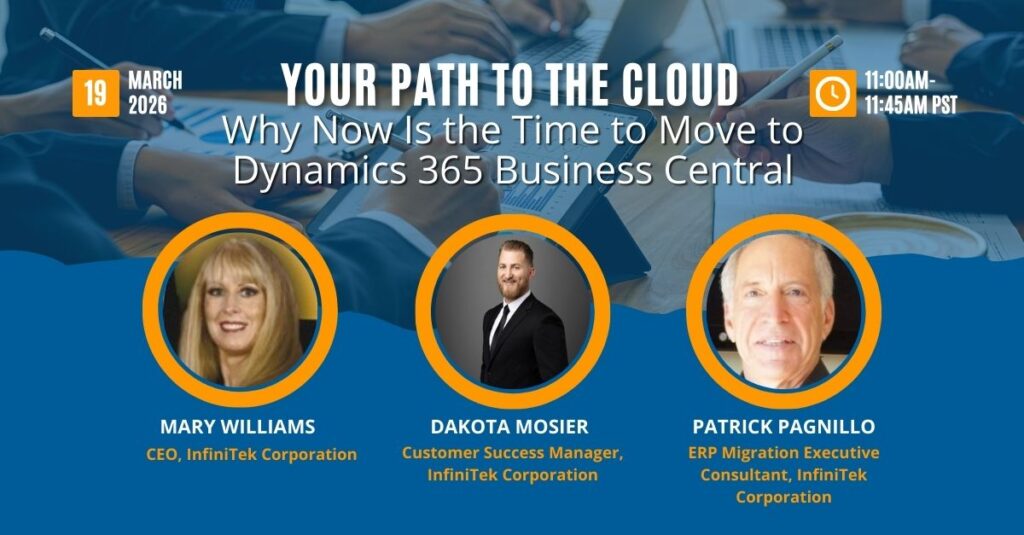
Join my upcoming webinar, Your Path to the Cloud, for practical guidance on migrating from GP, NAV, or QuickBooks to Business Central without plot twists, delays, or surprise costs.
About the Author

Mary Williams is a seasoned ERP strategist and CEO of InfiniTek Corporation, where she has spent over 26 years helping organizations modernize and transform their operations through smarter systems and stronger processes. Her unconventional path, beginning in music and live radio and later moving into Hollywood IT leadership before becoming one of the first Navision (now Business Central) partners in the United States, gives her a rare blend of creativity, technical depth, and real-world business insight.
With more than three decades of experience across manufacturing, distribution, logistics, financial services, and CRM and ERP innovation, Mary brings a perspective shaped by both hands-on development and executive-level guidance. She shares the stories, lessons, and practical strategies she’s learned along the way, offering leaders a grounded and human-centered view of what it takes to make technology work for people, processes, and long-term growth.
Connect with Mary on LinkedIn to continue the conversation.